Zigbee Smart Devices Setup Guide for Beginners
A beginner smart home does not need every switch, socket, curtain motor, and thermostat connected on day one. On paper, a complete setup may sound efficient. In a real home, however, adding too many smart home devices at once can create confusion before anyone has learned what a simple, reliable setup should feel like.
With BSEED Zigbee smart devices, a better starting point is often much smaller: one room, one daily problem, and a setup simple enough for the whole family to use without asking how it works.
The goal of a beginner Zigbee smart home is not to automate everything immediately. It is to make everyday routines easier, test the system in real use, and expand only when the first setup works reliably.
Start With The Habit, Not The Product List
Most people do not wake up thinking, “I need a Zigbee network.”
They think the bedroom light is difficult to reach, the hallway is too dark at night, the curtains are always left open, or too many chargers are connected in one corner.
That is where a smart home setup for beginners should start.
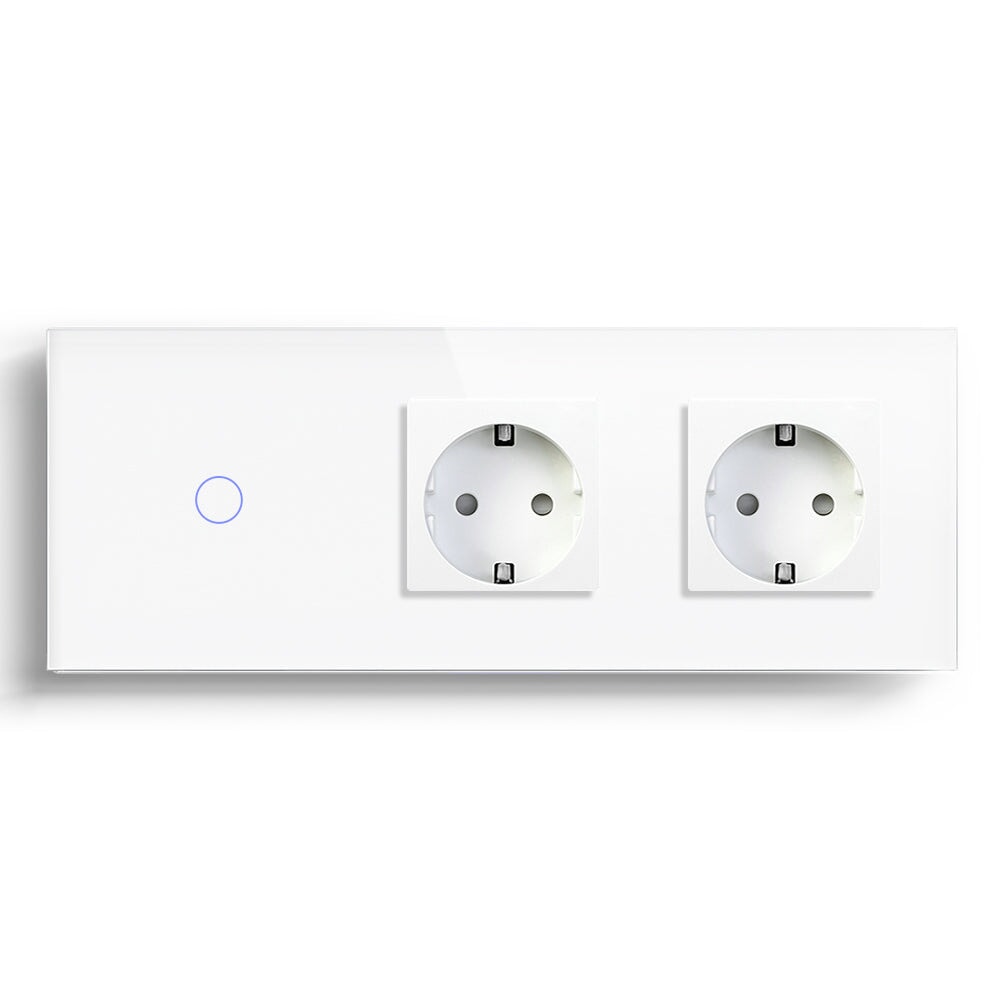
For a bedroom, the first group of devices might include a BSEED Zigbee smart switch, a smart socket for a bedside lamp, and possibly a curtain switch if the existing curtain motor is compatible.
For a living room, start with lighting and add a smart socket or roller shutter control later if there is a clear need.
Do not build a smart home around a shopping list. Build it around a repeated everyday problem.
This approach also makes it easier to understand which Zigbee smart home devices are genuinely useful before expanding into more advanced automation.
How Does Zigbee Work In A Smart Home?
Zigbee is different from WiFi in a way that beginners should understand, without turning the setup into a networking lesson.
WiFi smart devices normally connect directly to a wireless router. Zigbee devices connect through a Zigbee hub or gateway, while many mains-powered Zigbee devices can also help pass signals through the home as part of a mesh network.

This mesh structure can become particularly useful as a smart home grows across multiple rooms.
For example, a BSEED Zigbee switch near the entrance, another Zigbee device in the hallway, and a smart socket in the living room can help create a more connected Zigbee network than simply placing several battery-powered devices at random.
However, Zigbee is not a solution for every installation problem.
A poorly positioned hub, thick walls, metal electrical boxes, or excessive distance between devices can still affect signal strength and response.
For beginners, this is an important point: if a Zigbee smart switch responds slowly or fails to connect, the problem may be related to the Zigbee network layout, rather than the switch itself.
A Simple First-Room Zigbee Setup
If I were guiding a homeowner through their first BSEED Zigbee smart home setup, I would keep the plan deliberately simple.
- Position the Zigbee hub or smart home control panel where the signal has a good chance of reaching the room.
- Add one mains-powered Zigbee device, such as a smart wall switch or smart socket.
- Test manual control first.
- Add app control after the physical switch works normally.
- Create one simple smart home scene only after the devices respond reliably.
This order makes setup and troubleshooting easier.
If the light does not respond during manual testing, there is a clear place to start looking. If several devices and automation scenes are added before the basic connection is tested, identifying the problem becomes much more difficult.
For users, this can make the first week with Zigbee smart home devices much less stressful.
For installers and dealers, it can also reduce vague support requests that begin with, “The smart home is not working.”
Check The Electrical Installation Before Pairing Zigbee Devices
Many smart home problems are not caused by the app or wireless connection. They begin with the physical installation.
Before choosing a BSEED smart switch, check the wall box depth, wiring type, load type, and whether a neutral wire is available where required by the product.
For Zigbee curtain switches or roller shutter switches, confirm the motor wiring, rated load, and travel-limit configuration.
For a smart thermostat, confirm the heating system, sensor requirements, and electrical load before setting up weekly schedules.
The app cannot correct an unsuitable electrical load.
A Zigbee hub cannot solve a wall box that is too shallow.
These details may seem minor when planning a smart home, but they can become important once the product is already installed.
Choose Smart Device Names That Make Sense
Device names are more important than they may seem. They determine whether a smart home feels intuitive or awkward to use.
“Bedroom Light” is easier to understand than “ZB-SW-01.”
“Hallway Night Light” is clearer than “Circuit 2.”
“Living Room Curtain” is more useful than “Motor Left.”
When naming Zigbee smart devices, imagine a family member using Alexa or Google Home without opening the app or looking at the device list.
If the voice command sounds unnatural, change the device name.
Simple naming also becomes useful when the homeowner later adds BSEED WiFi smart switches, Matter switches, smart sockets, smart thermostats, or a smart home control panel.
A clear naming system in the first room helps prevent a complicated device list later.
Keep Your First Smart Home Scenes Simple
Beginners often want to create smart home scenes immediately. It is easy to understand why: press one button and several devices respond together.
But the first automation scenes should stay simple.
- Evening: dim the living room lights and close the curtains.
- Sleep: turn off the bedroom light and selected smart socket.
- Away: turn off main lights and non-essential sockets.
- Morning: open the curtains and softly turn on the hallway light.
There is no need to start with ten conditions, five delays, and multiple voice commands.
If a smart home scene requires a long explanation before the family understands how to use it, it may be too complicated for the first stage.
Start with automation that solves an obvious daily problem.
When Should You Choose WiFi Or Matter Instead Of Zigbee?
Zigbee smart home devices can be a practical choice for homes that are likely to expand across several rooms. However, not every beginner needs Zigbee from day one.
A BSEED WiFi smart switch may suit a small apartment with only one or two lighting points, particularly when the home already has a strong WiFi connection and the user wants a simple upgrade without adding a separate Zigbee hub.
A BSEED Matter smart switch may be worth considering when platform compatibility and flexibility across major smart home ecosystems are important.
The practical question is:
Will the smart home remain small, or will the homeowner add lighting, smart sockets, curtain control, heating control, and sensors over time?
If the system is likely to grow across several rooms, a Zigbee-based setup deserves closer consideration because its mesh architecture is designed for networks containing multiple connected devices.
Test Your First Zigbee Room Before Expanding
A smart home setup is not finished simply because device pairing has succeeded.
Live with the system for several days.

Check whether the physical wall switch still feels natural to use. See whether the smart home app responds quickly enough. Make sure device names are easy to understand. Most importantly, observe whether the family actually uses the smart scenes or simply ignores them.
The first week of real use can reveal more than the initial installation.
If the room genuinely feels easier to use, expand the system.
If people hesitate or avoid using certain features, improve the first setup before adding more Zigbee smart devices.
This gradual approach can make a growing smart home easier to manage and easier for everyone in the household to understand.
Build A Complete Zigbee Smart Home Step By Step With BSEED
BSEED supports a staged approach to smart home automation with products covering many common rooms and control points, including Zigbee smart switches, smart light switches, smart sockets, curtain switches, roller shutter switches, smart thermostats, WiFi smart devices, Matter devices, and smart home control panels.
This product range can be useful when a homeowner wants to expand gradually.
A first project may start with one Zigbee light switch. Later, the same home may add curtain control, heating schedules, smart sockets, or additional lighting automation.
Using compatible products with a consistent wall design can also help the smart home feel like one connected system rather than a collection of products added at different times.
The principle is simple:
Make one room easier, test the setup in everyday life, and then repeat the process.
A smart home that grows step by step can be easier to understand, maintain, and use than one that tries to become fully automated in a single weekend.