What Smart Home Device Should You Choose When Renovating a New Home?
If you happen to have a new house that needs renovation and want to use smart home device in the new house, then this is not only a good time to choose furniture and lighting, but also a good opportunity to plan a smart home system.
So you need to consider switches, sockets, networks, lighting, and heating controls in advance to reduce the hassle of rewiring or replacing equipment later on. However, there is no need to rush into smart homes. You can gradually build your smart system based on your lifestyle habits, budget, and compatibility.
5 Things to Consider Before Choosing Smart Home Devices
1. Electrical Wiring and Wall Box Compatibility
When choosing a smart device, the switch is something you must consider, and then you should think about whether your smart switch requires a neutral wire, which is not necessary for older houses in Europe. In addition, you need to check whether the wall box and installation space are sufficient, and measure the size of your own home before purchasing.
If you are considering more smart devices, you need to consider whether you need to reserve power for curtain motors, sensors, and smart panels, of course, it is best for qualified electricians to confirm the wiring and load requirements in advance, which can at least ensure the normal operation of your intelligent system.

2. Budget and Upgrade Priorities
A complete intelligent system does not require a lot of cost. If you don't have a lot of budget, you need to make a list of necessary and optional devices, sorted in order of importance, which can save you a lot of money.
We have planned a phased upgrade strategy for you:
Phase 1:
Infrastructure. Determine the wiring, wall boxes, sockets, and network coverage during decoration.
Phase 2:
High frequency use of equipment. Prioritize upgrading commonly used light switches, key area sockets, and necessary temperature controls.
Phase 3:
Improve convenience. Add dimming, curtain control, sensors, and automation scenarios.
Phase 4:
Unified Management. Integrate voice assistants, control panels, and smart home platforms according to actual needs.
If you are a beginner who knows nothing about how to choose smart devices at the beginning, here are my suggestions:
Smart Light Switch
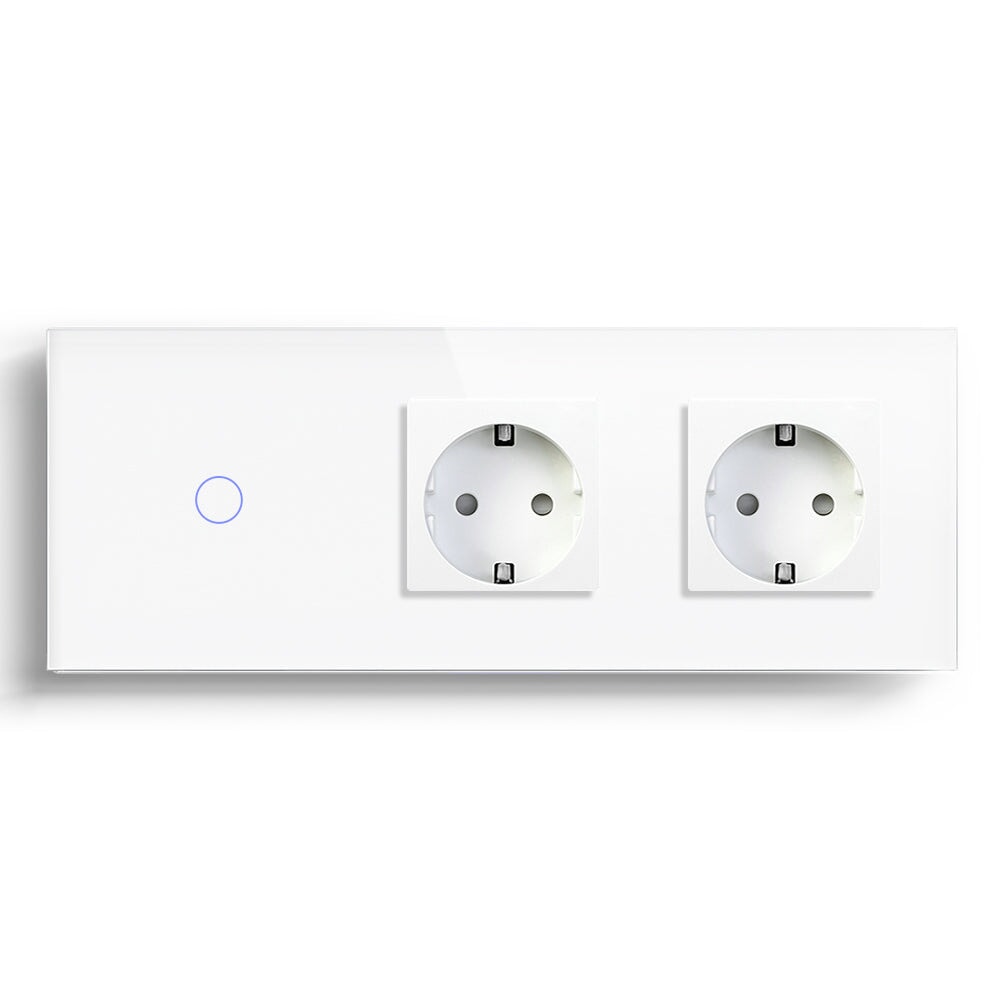
Suitable for foyer, living room, bedroom, and staircase areas. Remote control, timing, and automation can be achieved based on product functions, while retaining convenient wall operation methods. BSEED has a wide range of switch types, which can serve as a reference.
Smart Sockets and USB-C Wall Sockets
Plan the power supply locations for areas such as televisions, desks, headboards, and kitchens based on furniture layout. Distinguish between smart sockets that can remotely control external devices and USB-C wall sockets that provide a fixed charging interface.
Smart Dimmers and Lighting Controls
Suitable for spaces such as living rooms, dining rooms, and bedrooms that require different lighting atmospheres. Confirm in advance the compatibility of the dimmer with the type, load, and dimming method of the lighting fixture.Smart Curtain and Roller Shutter Controls
Suitable for french window, bedrooms and areas requiring shade or privacy control. Confirm the motor, power supply, wiring, and switch control methods in advance during the decoration phase.Smart Thermostat
Suitable for households with zone heating, underfloor heating, or those requiring temperature planning. When making a purchase, it is necessary to confirm the compatibility of the heating system type, voltage, control interface, and thermostat.3. Connectivity and Smart Home Protocols
Generally speaking, there are three connection methods for smart homes: Wifi, Zigbee, and Matter. Novices may not be familiar with the characteristics of these three types. Here is my brief summary of them:
|
Comparison Dimension |
Wifi |
Zigbee |
Matter |
|
Technical positioning |
Wireless Network Technology |
Wireless Communication and Networking Protocol |
Smart Home Interoperability Standards |
|
Is a gateway usually required? |
Usually does not require a dedicated gateway |
Usually requires a Zigbee gateway |
A compatible controller is required; Thread devices may also require a boundary router |
|
Power consumption characteristics |
Generally relatively high |
Low power consumption |
Depends on the underlying network technology |
|
Network expansion |
Dependent on Wifi coverage and network capacity |
Mesh networks can be expanded through devices that support routing |
Depending on whether Wifi or Thread network is used |
|
Cross brand compatibility |
Depends on the application and platform |
Depends on device and gateway compatibility |
Intended to enhance interoperability between authentication devices |
|
Typical Applications |
Smart switches, sockets, household appliances |
Sensors, switches, lighting equipment |
Cross brand lighting, sockets, temperature control, and curtain control, etc |
Wifi Small scale entry, simple control
Zigbee Multi device, multi room deployment
Matter Emphasize platform compatibility and long-term expansionWhen choosing, don't just look at the protocol name, but also confirm the specific model, gateway requirements, compatibility of mobile applications and voice assistants. Matter does not mean that all brands and functions can be unconditionally interoperable.
4. Interior Design and Everyday Use
The interior decoration style you prefer determines the appearance and uniformity of the switches, sockets, and control panels you choose. When purchasing, you can pay attention to the selection of colors and series.

Another thing to note is whether to choose a touch smart switch or a traditional mechanical smart switch, and whether this switch is convenient to operate with a mobile phone. If there are elderly and children at home, it is important to pay attention to their usage habits before making a decision.
5. Future Expansion and Compatibility
Finally, you need to pay attention to whether smart devices support voice assistants, automation, and scene control, and whether they can gradually add sensors, curtains, and temperature control devices. It is important to avoid focusing only on individual products and neglecting the compatibility of the entire system
A Room-by-Room Smart Home Planning Guide
|
Room/Area |
Priority devices to consider |
Main purpose |
|
Entryway |
smart light switch, sensor |
Entrance lighting, leaving home scene |
|
Living Room |
smart switch, dimmer, smart socket |
Lighting, atmosphere control, equipment management |
|
Bedroom |
smart switch, USB-C socket, curtain control |
Bedhead lighting, charging, and sleep scenes |
|
Kitchen |
suitable sockets, smart lighting control |
Timed control of work lighting and applicable equipment |
|
Bathroom |
compliant waterproof sockets, suitable lighting controls |
Safe use of electricity and lighting |
|
Stairs and Corridors |
smart switch, human body sensor |
Night lighting, automatic on/off lights |
|
Heating Area |
Thermostat |
Temperature plan, zone heating |
Attention: Electrical equipment in bathrooms and other special areas must meet local installation standards, protection levels, and safety distance requirements; High power kitchen appliances should not be controlled by default through ordinary smart sockets.
What should be reserved in advance during the decoration phase?
The following is the list I have listed, for reference only, mainly based on one's own actual situation (if unable to judge, you can leave a message at the bottom of the article).
·Confirm the depth of the neutral wire, wall box, and switch wiring
·Determine the number of switch connections, dual control requirements, and lighting circuits
·Determine the socket location based on furniture layout
·Reserve power and control circuits for electric curtains or roller blinds
·Check Wifi coverage and gateway location in each room
·Save circuit diagrams, equipment models, and installation recordsFinal Thought: Choose Smart Home Devices That Fit Your Lifestyle
When building a smart life, we should start from the functions of the room and daily household habits, rather than blindly pursuing the number of devices, which will only increase your burden rather than make your life more convenient.
Even if you want whole house intelligence, you need to start with basic devices such as smart switches, sockets, and temperature control, gradually increasing curtain control and automation.The choices you make should be able to balance daily wall operations, mobile control, and future upgrade plans.