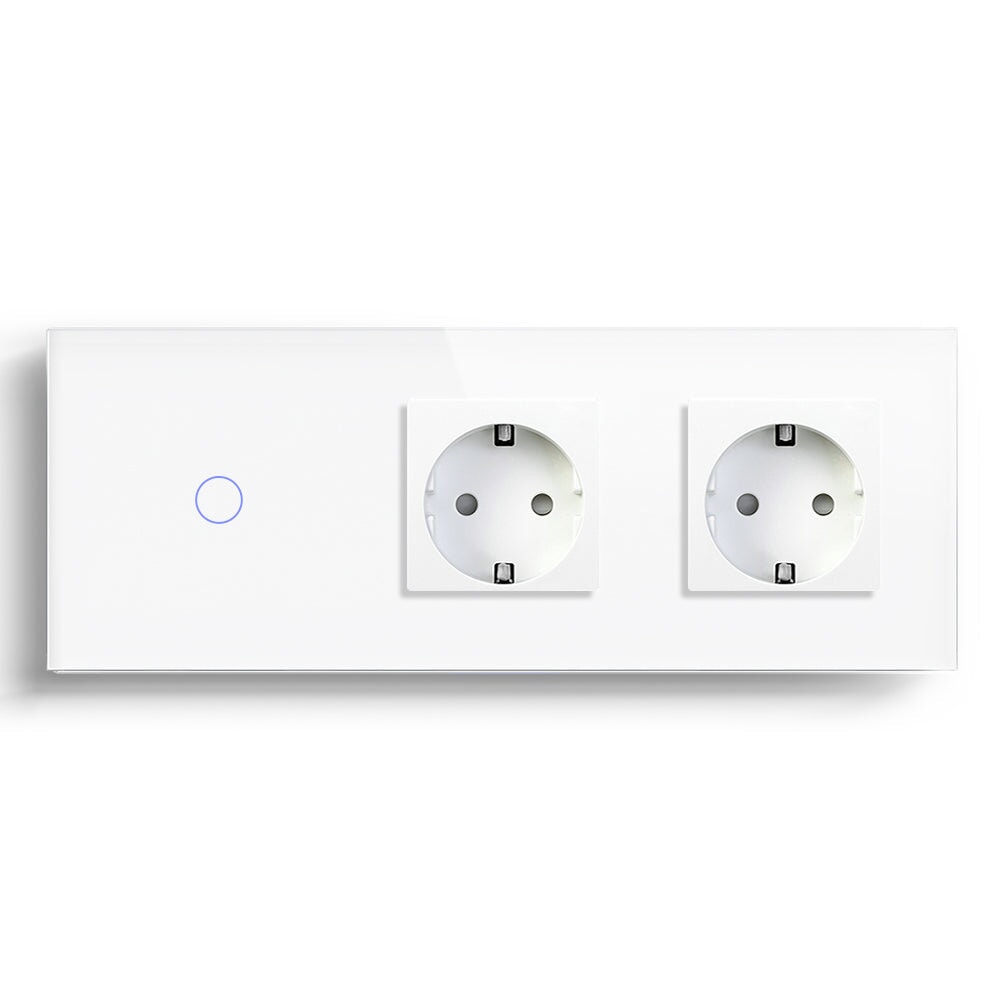
Touch Light Switch with Backlight Indicator
A backlight indicator is useful when it solves a finding problem. It is less useful when it is added simply because a product photo looks more attractive with a glowing ring. I usually judge a touch light switch at three times of day: in daylight, when the room is dark, and when someone is trying to sleep nearby. Those three views reveal whether the indicator is helping or becoming another source of irritation.
The Nighttime Test Comes First
In a hallway or entrance, a low-level indicator can show where the switch is located without turning on the main light. That is a real convenience for guests, children and anyone returning home with their hands full. The same light may be unwelcome beside a bed. A small blue or white glow can look minor during installation and feel surprisingly bright after the room is dark.
For bedrooms, I would check whether the indicator changes with the relay state, whether its brightness is adjustable and whether the user can disable it. If those details are not confirmed, the switch should not be specified beside a sleeper’s pillow just because the front panel is attractive.
Touch Control Changes The Way People Search
A mechanical button gives the finger a physical edge. A touch panel does not. Users learn the surface through position, icon shape and light feedback. That makes alignment important. If the panel is installed too close to a door frame or beside another control with a different layout, people may touch the wrong area without noticing.
This is why I prefer to test a sample at the intended height before a multi-room order. Ask a person who has not seen the product to turn on the light in a dark room. Watch the hand rather than explaining the control. If the person searches across the panel or looks for a click that is not there, the installation needs a clearer cue.
Wiring Still Decides The Result
The backlight does not remove ordinary electrical constraints. Confirm whether the circuit has a neutral wire, what type of lamp is connected, and whether the switch is intended for the load. No-neutral installations can be practical, but very small LED loads may behave differently from larger loads. Flicker, faint glow or an unstable off state can be caused by the relationship between the switch and the lamp driver, not by the touch surface.
Before fitting a BSEED touch light switch, I would test it with the lamp that will remain in the room. A different showroom bulb is not a reliable substitute. Check the wall-box depth as well. Glass panels need a flat, supported installation; forcing the mechanism into a shallow box can create a panel that rocks or sits proud of the wall.
Backlight Settings Worth Checking
The useful questions are ordinary ones:
1. Is the indicator on when the light is off, on when the light is on, or configurable?
2. Can the brightness be reduced in a bedroom or nursery?
3. Does the indicator remain stable if the network is unavailable?
4. Is the touch zone easy to find without opening the app?
5. Can the user still control the light manually after a router or gateway restart?
Not every model will offer every adjustment. The point is to confirm the behaviour before installation rather than discover it after the finished wall has been painted.
Where A Backlit Touch Switch Fits
This style works well in entrances, corridors, living rooms and renovated apartments where the owner wants a clean wall with an easy nighttime reference. It is less suitable for users who strongly prefer tactile feedback, rooms where any indicator light is disturbing, or circuits with unconfirmed lamp compatibility.
The backlight should support the room’s routine. If it becomes the most noticeable light in the room, the specification has gone too far. For a buyer comparing a touch glass smart switch with a standard mechanical control, I would treat the indicator as a comfort feature, not a substitute for checking wiring, load and human use.
Saving Requires A Baseline
Without a baseline, the owner cannot tell whether an automation rule helped or merely changed the display. Note a normal week of use where practical, then compare the same room after one change. A property manager may care about an empty apartment, while a family may care about evening lighting and heating. The useful measure is the one connected to the operating decision.
This also keeps the conversation honest with B2B buyers. A supplier can provide devices and documentation, but the final energy outcome depends on the building, the equipment and how occupants respond. A practical pilot is more credible than a broad saving claim.
Start With A Pilot Room
For a larger property, use one occupied room as the pilot. Let the household live with the schedule, manual override and energy view before copying the settings to other rooms. The pilot often exposes a practical issue, such as a timer that conflicts with dinner or a socket that is difficult to reach, before those choices become a batch-wide problem.