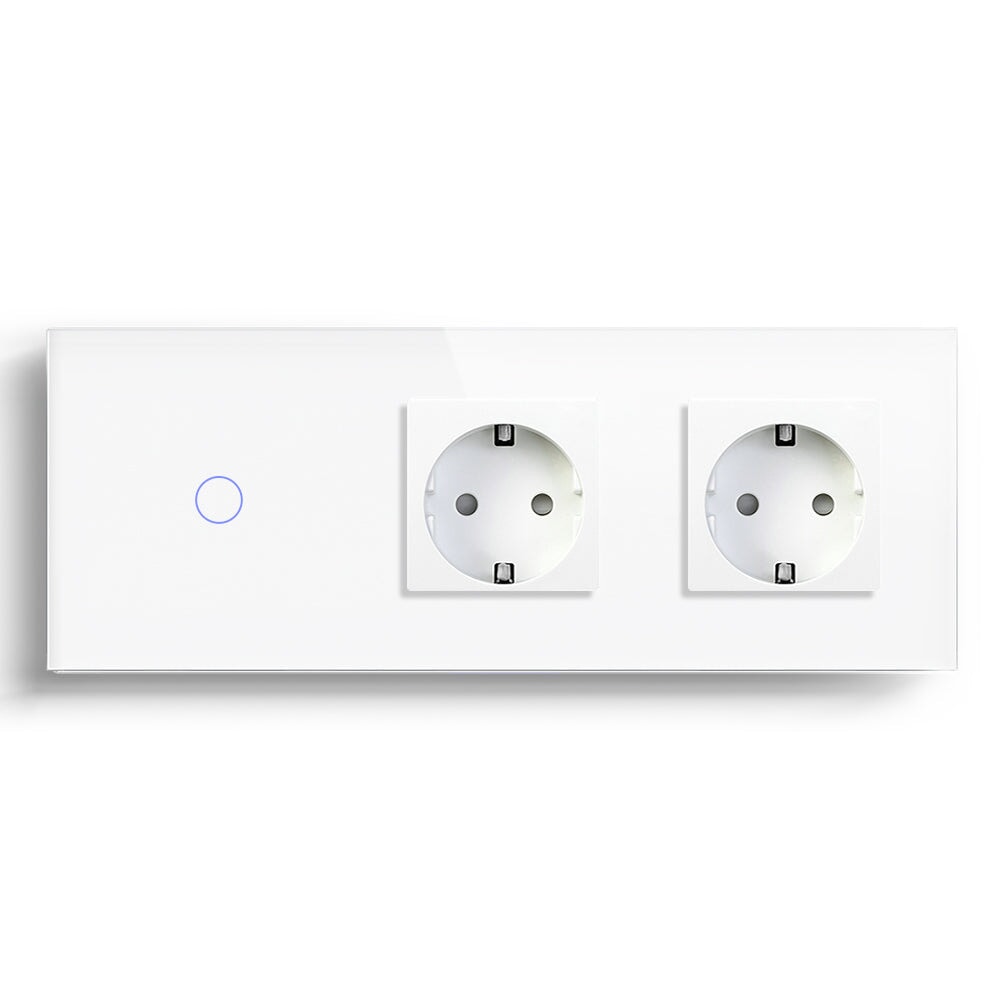
Zigbee Switch Compatible with Home Assistant Platform
For an installer, "compatible with Home Assistant" is not a line to paste into a quotation. It is a support promise. Once the BSEED Zigbee switch is mounted, paired, named, and handed over, the customer expects the wall switch, automation, dashboard, and manual control to behave like one system.
That is why this article is written from the project side. A homeowner may only ask whether the switch works. A dealer or installer has to ask a harder question: will the setup still be supportable after the customer adds more rooms, more scenes, and more devices?
Treat Home Assistant As A Project Layer
Home Assistant can be powerful because it brings different devices and automations into one local control environment. It can also become messy when naming, rooms, entities, hubs, and firmware expectations are handled casually.
A BSEED Zigbee switch compatible with Home Assistant should be selected as part of a system. Check the Zigbee coordinator, gateway approach, switch type, neutral requirement, gang count, and load before promising the project. If the job includes smart sockets, sensors, smart thermostats, curtain switches, or roller shutter switches, map those devices before installation starts.
The Installer's Pre-Check
|
Checkpoint |
Why It Matters |
Support Risk If Skipped |
|
Neutral or no-neutral wiring |
Determines correct switch version |
Wrong model, delayed installation |
|
Wall box depth |
Affects physical fit |
Forced mounting, damaged finish |
|
Zigbee coordinator or hub |
Determines pairing route |
Device not discovered or unstable |
|
Powered Zigbee device spacing |
Builds mesh strength |
Weak response in distant rooms |
|
Naming convention |
Keeps dashboards readable |
Confusing service calls later |
|
Manual wall control test |
Confirms basic usability |
Customer loses trust quickly |
This is the table I would want before approving a site batch. It is simple, but it catches the mistakes that create repeat visits.
Naming Convention Saves More Time Than People Expect
Bad names do not look serious at handover. "Switch 1", "Light 3", and "Bedroom Left Maybe" will come back as support questions. Use room-first names that a homeowner can understand:
1. Living Room Ceiling.
2. Living Room Wall Light.
3. Bedroom Main.
4. Hallway Entrance.
5. Kitchen Counter.
If the project includes BSEED smart sockets, thermostats, smart blind switches, or Matter devices, keep the same naming logic across categories. The dashboard should read like the home, not like a test bench.
Test The Wall Before Testing The Automation
The first test is physical. Press the switch. Does the light respond correctly? Does each gang control the right circuit? Does the user understand the panel without the app?
Only after that should the installer test Home Assistant automations. Run scenes one by one. Test after a restart if the project depends on local automation. Check whether the switch state updates correctly in the dashboard. If voice assistant control is part of the package, test the spoken names with the customer present.
This order prevents a common mistake: debugging a scene while the circuit itself has not been verified.
Where Zigbee Works Well In B2B Projects
Zigbee switches fit many Home Assistant projects because the system can grow across rooms. Powered devices can help the mesh, and local automation planning can reduce the feeling that every action depends on a cloud response. This is useful in apartments with several rooms, villas, and renovation projects where the customer wants lighting, curtains, sockets, and heating to work together.
It also helps dealers build clearer product families. A customer may start with a BSEED Zigbee light switch and later ask for a smart socket with energy monitoring, a smart thermostat, or a roller shutter switch. A planned ecosystem is easier to sell and easier to support.
Where It Is A Poor Fit
Zigbee is not the best answer for every order. If the customer wants one switch in one room and refuses a hub or coordinator, WiFi may be easier. If the customer's main concern is cross-platform use across Alexa, Google Home, Apple Home, and other ecosystems, Matter may be part of the conversation.
The other poor fit is an installer who does not want to document the job. Home Assistant projects need basic records: device names, rooms, hub placement, circuit notes, and customer handover instructions. Without that, even good hardware becomes difficult to maintain.
B2B Buying Rule
For dealers and installers, choose BSEED Zigbee switches for Home Assistant projects when the job has several rooms, a planned coordinator or gateway, enough powered devices for mesh strength, and a customer who values automation depth. Choose a simpler BSEED WiFi switch for small jobs where app and voice control are enough. Use Matter when platform flexibility is the sales point.
Installer Questions
Should every Home Assistant project use Zigbee?
No. Zigbee is strong for mesh-based multi-room systems, but small single-room projects may not need it.
What should be documented at handover?
Device names, room assignments, switch locations, hub or coordinator details, scene names, and basic troubleshooting steps.
Can Home Assistant fix poor wiring choices?
No. Home Assistant sits above the electrical installation. The switch still has to match the circuit, load, and wall box.
The best Home Assistant project is not the one with the most complex dashboard. It is the one the customer can live with, and the installer can still support six months later.