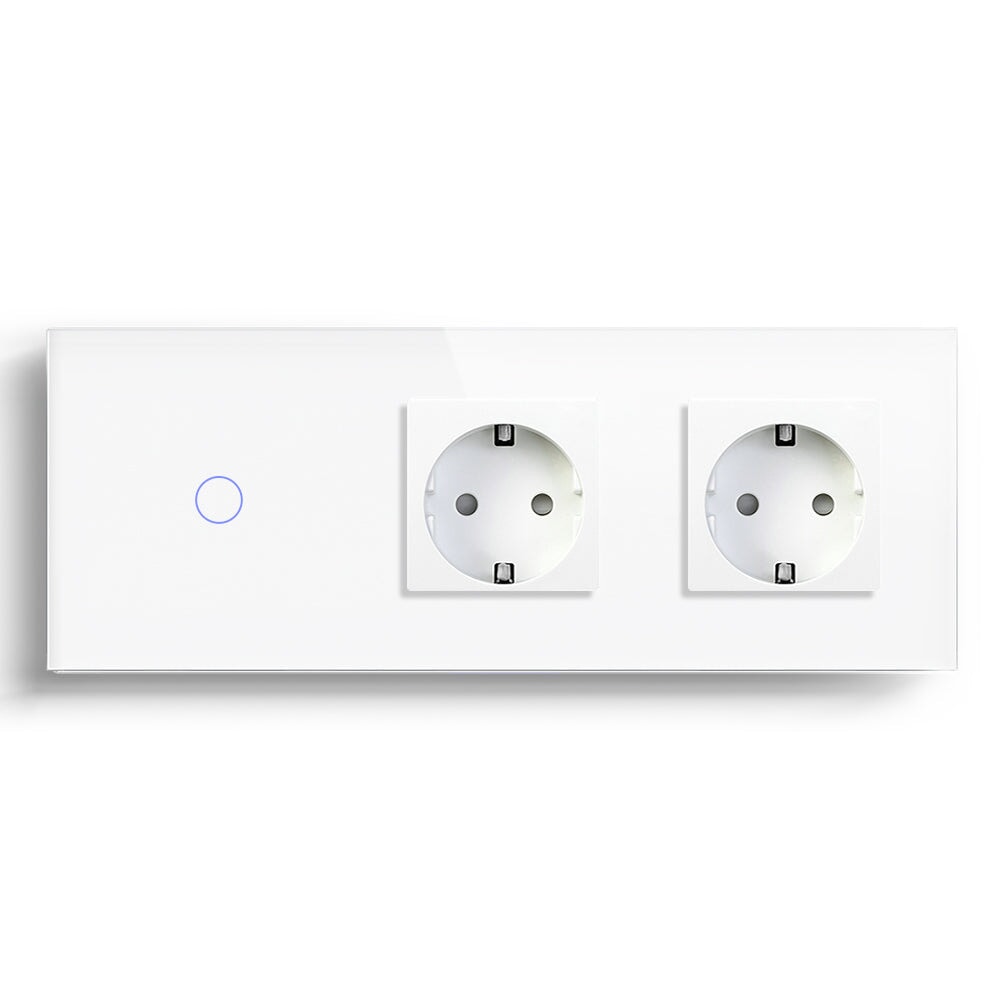
Zigbee 3.0 Smart Switch for Faster Device Response
A light switch has one job in the user's mind: touch it, and the room changes. If that response feels late, even by a small amount, the whole smart home starts to feel less trustworthy. This is where a BSEED Zigbee 3.0 smart switch can make sense, especially when the home has more than one room, more than one switch, and a few scenes running in the background.
Zigbee 3.0 is often discussed as if it were a speed label. I would treat it more carefully. A Zigbee light switch can respond well when the network is planned well, but the protocol alone does not repair poor wiring, a badly placed hub, or an empty mesh with no powered devices between rooms. Faster response is usually the result of a complete path, not one device working alone.
Think About The Command Path, Not Just The Switch
When someone presses a smart wall switch, the command does not live inside the glass panel. It has to travel through the switch electronics, the gateway or hub, the network route, the app or automation platform, and then back to the load or scene. In a small room this may feel instant. In a long hallway, a duplex apartment, or a villa with thick internal walls, the weak point becomes easier to notice.
Zigbee helps because powered Zigbee devices can pass messages through the home. A BSEED Zigbee switch in the hallway, another in the living room, and a smart socket in a useful position may create a stronger path than one lonely device trying to reach a distant hub. That is the part many homeowners never see, but they feel the result every day.
Where Homeowners Notice Faster Response
The first place is the hallway. People press the switch while walking, so hesitation feels annoying. The second is the bedroom, where a night scene should be quiet and predictable. The third is the living room, especially if the lighting scene includes dimming, curtains, or a smart socket.
A BSEED Zigbee 3.0 smart light switch is also useful when the family uses voice control. Voice commands already add a little waiting time because the speaker and platform are involved. A stable Zigbee network helps keep that delay from becoming a daily complaint.
Do not overbuild a tiny project. If the home only needs one WiFi light switch in one bedroom, a BSEED WiFi switch may be easier. No hub, less explanation, fewer pieces to manage.
Response Planning Matrix
|
Home Situation |
Zigbee Fit |
What To Check First |
|
One switch in a small apartment room |
Fair |
WiFi may be simpler |
|
Multi-room lighting scenes |
Strong |
Hub location and powered device spacing |
|
Home Assistant setup |
Strong |
Gateway choice, naming, and local automation plan |
|
Thick-wall European home |
Strong |
Signal route between rooms |
|
No expansion plan |
Fair |
Whether the extra hub layer is worth it |
This matrix is not a ranking of good and bad products. It is a reminder that the building decides more than the brochure does.
The Installation Details That Change Everything
Response speed is not only a network question. A switch box that is too shallow can force a rushed installation. A circuit without neutral wiring may need a different model. A dimmer circuit has to be checked against the LED lamp and driver. If the load is wrong, the user may call it a response problem when it is really a compatibility problem.
For a homeowner, the safest first check is simple: count the rooms and list the devices expected in the next 12-24 months. If the plan includes lighting, sockets, roller shutter switches, sensors, and a smart thermostat, Zigbee deserves attention. If the plan ends with two switches near the router, WiFi is probably enough.
How BSEED Fits The System
BSEED's smart home range includes WiFi switches, Zigbee switches, Matter switches, smart sockets, dimmer switches, thermostats, smart blind and roller shutter controls, and smart control panels. That matters because many homes grow in small steps. A buyer may begin with one smart light switch and later want the same wall style for sockets, curtain control, or heating.
From a practical point of view, consistency helps. People still press wall switches. Guests still look for a familiar panel. The smart layer should make the home easier, not turn every room into a technical demonstration.
Questions Homeowners Ask
Is Zigbee always faster than WiFi?
No. In a small apartment with a strong router, WiFi can respond very well. Zigbee becomes more attractive when the home has several rooms, many devices, or a need for mesh coverage.
Do I need a hub for a BSEED Zigbee switch?
Yes, Zigbee systems normally need a compatible hub or gateway. Check the platform before buying, especially if you use Home Assistant or a specific smart home control panel.
Can Zigbee fix LED dimming flicker?
No. Flicker is usually tied to the LED load, driver, dimmer type, or minimum load behavior. Check dimming compatibility before installation.
A fast switch is not the one with the loudest promise. It is the one people stop thinking about after a week because it reacts when the room expects it to react.