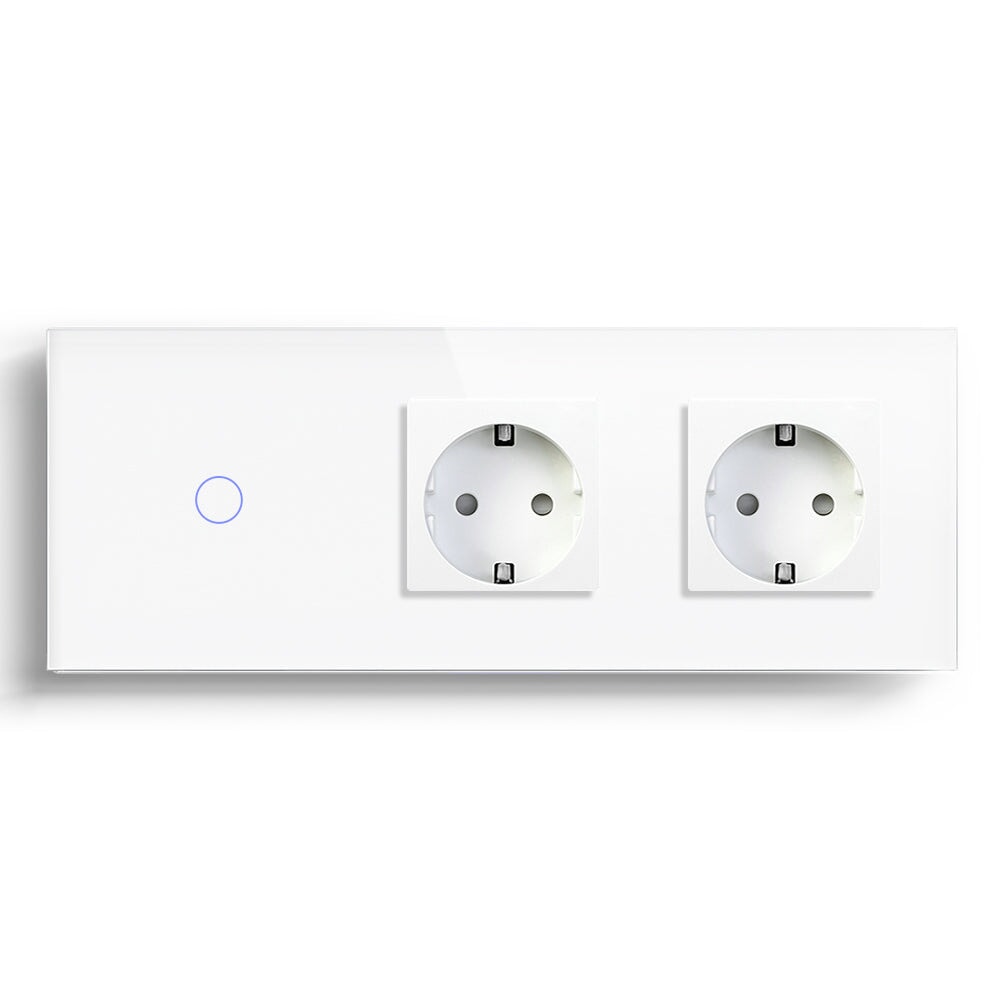
How to Choose the Right BSEED Switches and Sockets
BSEED offers wall switches, sockets, roller shutter controls, dimmers, thermostats, control panels, relays, and more—all modular, so you can mix and match to fit your setup.
However, with series like Echo Click, Echo Grand, Melody, and Scale, plus countless combinations, it's easy to feel overwhelmed. Most customers often struggle to know the difference between product lines, aren't sure which products work with their home's wiring, or end up buying the wrong product due to compatibility issues—which delays installation and leads to frustration when devices can't be installed as expected.
This guide answers common questions to help you choose the right series, model, and features—so you avoid these problems and get it right the first time.
What's the Difference Between These Series?
|
Series |
Panel Size (mm) |
Colors |
Material |
Installation |
Types |
|
Echo Click |
86, 157, 228, 299, 370 |
White, Black, Gold, Grey |
Glass, Plastic |
Screw, claw-hook, and quick-connect wiring* |
Mechanical, Standard Touch, Wi-Fi, Zigbee |
|
Echo Grand |
80, 150, 220, 290, 360 |
White, Black, Gold, Grey |
Plastic |
Screw, claw-hook, and quick-connect wiring* |
Mechanical, Wi-Fi, Zigbee |
|
Melody |
86, 118, 146, 157, 299, 370 |
White, Black, Gold, Grey |
Glass, Plastic |
Screw mounting only; requires a back box (cassette) |
Mechanical, Standard Touch,Wi-Fi, Zigbee, Matter |
|
Scale |
86, 157, 228, 299, 370 |
White, Black, Gold, Grey |
Glass, Plastic |
Screw, claw-hook, and quick-connect wiring* |
Wi-Fi, Zigbee |
**The most important thing to know when choosing a series:**
Installation methods vary by series—specifically, how the panel and function modules fit together. So if you're mixing and matching components, make sure they all come from the same series. Pre-assembled units are the exception—no cross-series assembly involved.

How to Choose Wall Switches & Sockets: Follow This Order and Avoid Costly Mistakes
Many people start by picking a look or chasing smart features — then find out the hard way that the panel won't fit the wall box, or there's no neutral wire to power it. The right order matters: measure the wall opening first, then check the wiring in the box, and finally decide on function and layout. Here's the step-by-step breakdown.
Step 1: Measure the Wall Opening — Confirm Fit First
This is the most overlooked step, but it has to come first. Get the size wrong and the panel simply won't mount.
Pop off the old switch plate and measure the wall box or the rough opening:
What your opening needs: based on our switch and socket dimensions, your wall opening works with our products as long as the inner diameter is greater than 60mm and the depth is greater than 45mm.

Once you've confirmed the opening fits, decide which series/style you like — and lock in that spec for everything you buy.
Step 2: Look at the Wiring in the Box — Confirm Compatibility
If you're unsure whether your home's wiring is compatible, this step determines whether you can install the product at all — and which version to buy.
Check for a neutral wire: remove the old switch plate and look inside the box. Besides the hot wire (usually red) and the load/switch leg (usually yellow/green/blue), is there a blue or black wire? That's the neutral.
Neutral wire present: go with a neutral-required switch (most of our products are neutral-required). Power supply is stable, there's no faint glow or flickering when the light is off, and there are no special requirements on fixture wattage.
No neutral wire (only hot and load wires): you'll need a no-neutral switch (labeled "no neutral wire required" or "single live"). Note that no-neutral switches typically have a minimum load requirement (e.g., 7W and up), and very low-wattage LED bulbs may flicker — but we've included a capacitor to prevent exactly that.
A practical tip: if you have elderly family members or young kids, or you're worried about network outages, consider keeping a standard mechanical switch at key spots like the entryway and bedside — or use a hybrid setup of "smart switch + wireless remote" so you can still turn on the lights with one touch when the network is down.
Step 3: Decide on Control Function (1-way / 2-Way / Multi-Way)
What people call "2-way / 3-way" refers to the control method, not the number of buttons on the panel.
1-way: one switch controls one light. The most basic option — ideal for balconies, bathrooms, kitchens, and other single-entry spaces.
2-way: two switches in different locations control the same light. A must-have for bedroom door + bedside; also common at both ends of a large living room or at the top and bottom of a staircase.
Multi-way (intermediate switch): three or more locations control one light. Suited to villas, lofts, or extra-long hallways.
Note: when buying, check whether it's a single-pole switch or a 2-way switch. A single-pole switch can't be used as a 2-way, but a 2-way can be used as a single-pole (you just pay a bit more).
Smart switches typically achieve 2-way control through wireless pairing — no extra traveler wire needed. That means all smart switches can achieve multi-control functionality. However, the multi-control function of the smart switch requires you to set up multi-control associations in the app first in order to work.
Step 4: Decide the Number of Buttons on the Panel
The button count determines how many switch buttons are on a single panel.
1-gang, 2-gang, 3-gang, 4-gang: choose based on how many light circuits that location needs to control.
Avoid this trap: don't blindly chase panels with lots of buttons. The more buttons, the smaller each one is — easier to hit the wrong one, and harder to remember which is which. A 3-gang or 4-gang panel is usually enough for a living room; for kitchens and bathrooms with multi-gang setups, go for larger buttons.
To learn more about 2 Gang vs. 3 Gang vs. 2 Way vs. 3 Way, check out: https://www.bseed.com/blogs/news/2-gang-or-3-gang-switch-best-uses-wiring-and-smart-home-tips

Frequently Asked Questions
1. Q: Can you ship to my country?
A: Yes — we ship worldwide with reliable global delivery.
2. Q: Where do you ship from?
A: Our factory is in China, with warehouses in Germany, Spain and more — we ship from whichever one has stock.
3. Q: How long does delivery take?
A: Free shipping takes 8–15 days; express shipping takes 5 days. You can choose at checkout.
4. Q: I want to place a large order — is there a discount?
A: Yes — larger orders get better pricing, with tiered discounts up to 30%. Just share your target budget or cart with our customer service, and we'll work out the best price for you right away.
5. Q: How long after placing an order can I modify it?
A: You can cancel directly within 2 hours of ordering. After that, please contact customer service — unshipped orders can normally still be cancelled.
6. Q: How do I return an item? Is there a warranty?
A: You can return within 30 days of receiving your order. We also offer a 1-year warranty.
7. Q: What products does BSEED offer?
A: We offer finished products and custom combinations — including wall switches and sockets, roller shutter controls, dimmers, thermostats, central control panels, relays, and more.
8. Q: Can BSEED products be installed vertically?
A: Melody series — yes, any orientation (standard horizontal install has the panel groove at the bottom). Ehco series — yes, except the large-panel waterproof cover sockets.
9. Q: What size wall opening do I need?
A: As long as the inner diameter is greater than 60mm and the depth is greater than 45mm, your wall opening will work with our products.
10. Q: What do you mean by DIY or free-combination products?
A: All our products are modular — you can mix and match modules freely to build the functions you need.
11. Q: Do you support customization?
A: Yes — we control the entire process in-house, from design and production to sales and logistics. Just contact our customer service with your needs.
12. Q: How do I know if I have a 2-way/3-way switch, and how do I wire it?
A: 1 switch? Use this "1-Way" model. 2+ switches? You need a pair of "2-Way/3-Way" switches.
13. Q: How do I set up 2-way or 3-way control?
A: A single-pole switch can't do 2-way. Non-smart 2-way/3-way control is done through different wiring. Smart switches usually achieve 2-way/multi-way control via wireless pairing — no extra control wire needed.
14. Q: What's the difference between Wi-Fi, Zigbee, and Matter?
A: Wi-Fi — high bandwidth, needs constant power, higher consumption. Zigbee — low-power mesh, needs a gateway, limited cross-brand support. Matter — unified standard over Wi-Fi/Thread for cross-ecosystem interoperability; devices need IP support and enough memory/processing power. Note: our Wi-Fi switches are 2.4 GHz only; Zigbee versions need a gateway.
15. Q: What bulbs does the dimmer switch support?
A: It supports dimmable incandescent bulbs (7W and up), halogen, and LED bulbs. Note: It does not support light strips, spotlights, ceiling lights, or any non-dimmable bulbs.
16. Q: Are the wiring pictures hard to follow? Is there a simpler guide?
A: Watch the video guide on our page for the easiest install. Still stuck? Message us via your web page.
17. Q: Does it support Philips Hue or Apple HomeKit?
A: No, it doesn't.
18. Q: Can the Wi-Fi touch switch control sockets or other devices (not bulbs)?
A: No — it's only recommended for controlling bulbs.
If the issue persists, please contact us via live chat or email us at shopify@bseed.com.